Image text & OCR
Read text out of any image.
Kopit recognizes the text inside your screenshots and images — right on your Mac. Search it, select it, and copy it out, without retyping a thing.
On-device recognition. Works with English and Simplified & Traditional Chinese.

How it works
- 1
Copy or pin an image
Take a screenshot or copy any image as usual — Kopit captures it like any other clip.
- 2
Kopit reads it in the background
On-device text recognition runs quietly after capture, so the text inside the image becomes part of your searchable history.
- 3
Search or select the text
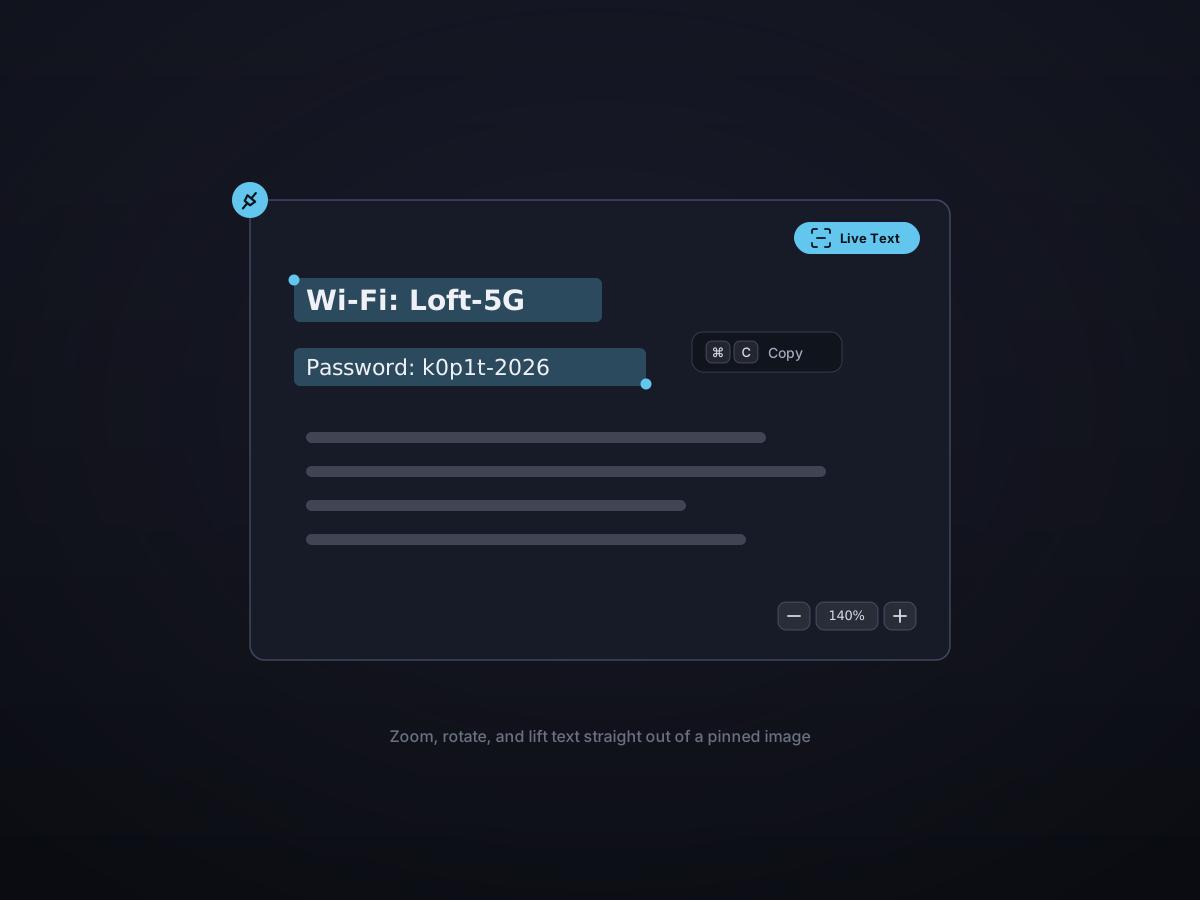
Find an image by what it says, or select the text directly off it with Live Text and copy it out.
Search what's inside your screenshots
Recognized text is indexed alongside everything else, so a search can match words that only appear inside an image — a code snippet in a screenshot, an address on a photo, a name on a slide.
- Find images by the text they contain
- Recognized text shows up in list previews
- Works together with type:, app:, and date filters

Select text right off an image
Live Text brings selectable text to image previews and to pinned image windows. Drag across the words you want and copy them straight out — no separate OCR step.
- Live Text in the preview pane and on desktop pins
- Drag-select any region of text
- Copy clean, editable text to the clipboard
On-device and private
Recognition uses Apple's built-in Vision engine and runs entirely on your Mac. Images and their text never leave your device — no upload, no cloud service, no third party.

Good to know
- Engine
- Apple Vision — on-device
- Languages
- English, Simplified & Traditional Chinese
- Where it works
- Image previews and desktop pins
- Search
- Recognized text is included in history search
- When it runs
- Automatically in the background after capture
- Privacy
- 100% local — nothing is uploaded